Connection quality, not guesswork
Find out what is actually wrong with your game connection
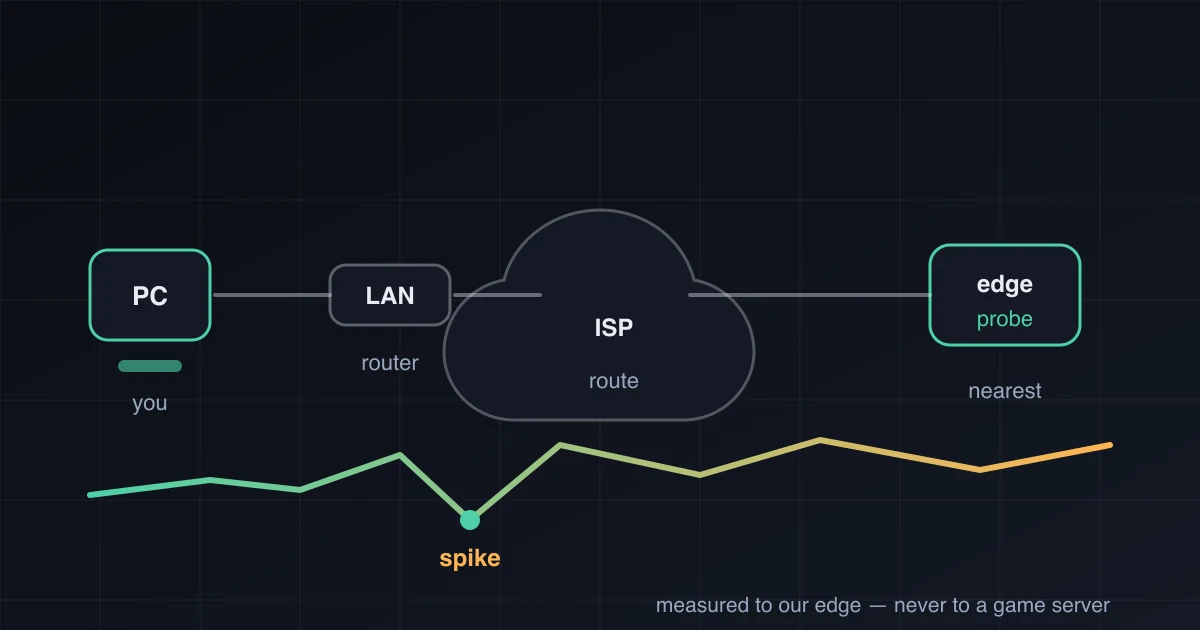
A free browser test measures latency, jitter, timeout samples and loaded latency between you and our edge — then tells you what to fix first. We also tell you when the problem is not yours to fix, and when buying a latency tool would not help.
What the test measures
Four numbers that describe how your connection behaves under real conditions.
- Typical latency
- How long a round trip takes most of the time.
- Jitter (95th percentile)
- How much that number jumps. This is what makes a game feel bad.
- Timeout samples
- Frames that never came back during a 20 Hz tick-loop test.
- Increase under load
- How much latency rises while the connection is busy — the it-only-lags-at-night case.

What it does not measure
It does not measure your in-game ping, your FPS, or the route to a specific game server. Those depend on the game's servers and network path, which a browser cannot reach. Every conclusion on this site is written to stay inside that boundary.
Start with the free fix
Most high-ping complaints turn out to be local: a wireless link that drops frames, an uplink saturated by a backup, or a router with no queue management. Those are free to fix, and no subscription changes them.